Showing posts with label Visual Basic 2008. Show all posts

Wednesday, August 25, 2010

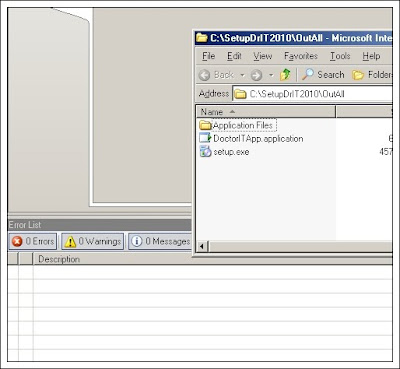
If you find an error number 0x80880253 in Visual Studio2008 in to publish project.


If you find an error number 0x80880253 in Visual 
Studio2008 in to publish project.
[Thai]
How to solve the problem.
1. Go to Project Properties -> Signing
2. Click button "Select from store..."


3. Select list -> click "OK".


4.Publish project again. Will not see the problem.


Thursday, December 24, 2009

How do automatic sequence number in Crystal Report (Visual Basic 2008)


(Thai Version)
A sequence of numbers we found in numerous reports in daily life. We see how the number sequences automatically in the report in Crystal Report.
Step
1. Open or create a report to report.
2. Field Explorer, right-click "Running Total Fieids" - New


3. Configuration.
3.1 Select Field to set (number 1).
3.2 Click to select Custom Field values (number 2).
3.3 Select "Type of summary" to set (number 3).
3.4 Set "Evaluate"  (number 4).
3.5 Set "Reset" (number 5).
3.6 Click OK. 
 

4. Drag the Field to the area to the report.


5. Testing program will work as needed.


Applied to the report.


Thank you,
Worawut  Bunwang

Saturday, December 19, 2009

Code does not ask Login ID and Password in the Crystal Report (Visual Basic 2008)

 
Programmers to develop applications with Crystal Report would have a problem ask the Login ID and Password while processing program before opening the report.
We see the sample code to solve the problem, ask to not reporting hours.

The code to solve the problem.

Variables in the code.

strServernameRpt = name server connection

strDatabaseNameRpt = name database

strUserNameRpt = username

strPasswordRpt = password


When the test program again. Program Login ID and Password do not ask anymore.

Thank you,
Worawut  Bunwang

Monday, December 7, 2009

Set Cursor moves to the desired location in VB2008


Writing the code requires Cursor moves to the desired location that is writing code to facilitate users in data entry program. Steps are as follows


Samples : when the input "Serial No." Then Paul hit the keyboard "Enter" and then to move the Cursor "Task No."


Step.

1. Into writing code objects to do is sample "txtSerial" event "KeyDown".
2. Writing code has the following 2 formats.
 Option 1 The name of the object to move the Cursor


Option 2 Use "Sendkeys" will work as we hit the keyboard "TAB" This must be set to the number of Tab Index sorted correctly with.


Applied to work to get the program easier to use.
Thai Version
Thank you,
Worawut   Bunwang

Tuesday, November 17, 2009

How to resolve error: Procedure or Function has too many arguments specified in VB 2008.


If you find an error "Procedure or Functionhas______________too many arguments" specified in VB 2008 (database : SQL Server) now I have a solution.


RESOLUTION: to add a line. SqlCommand Name.Parameters.Clear ()


Try to fix the error.

Thank you,
Worawut  Bunwang